
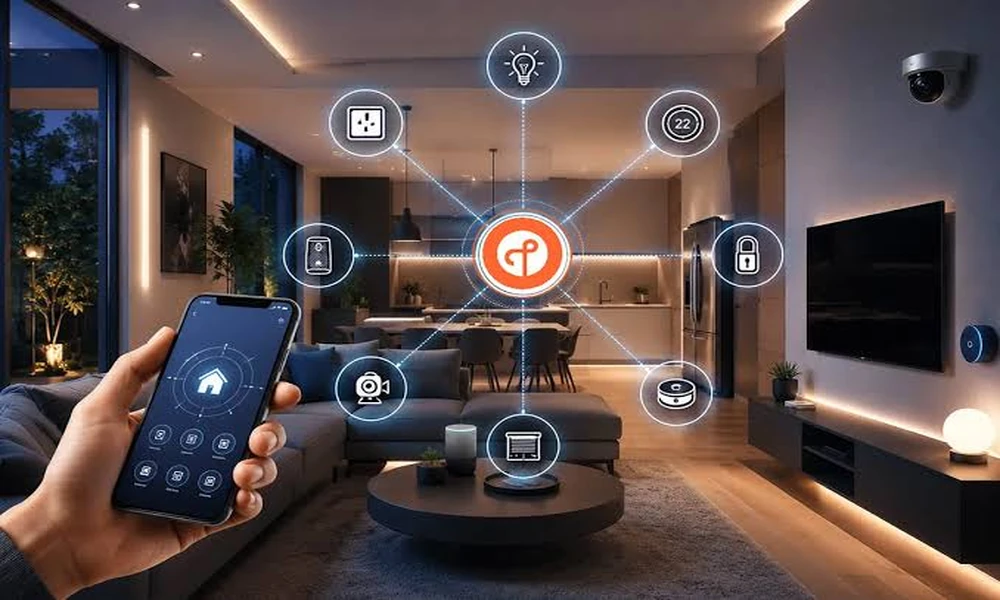
Most smart homes die in month two. Not because the gadgets broke, but because someone bought eleven devices from four brands, paired them over a weekend, and then spent every dinner explaining to their family why the kitchen lights need a phone to turn on. I have watched this happen more times than I can count, and it almost always traces back to one decision made too late: the plan.
Here is what that plan should look like. You start with the wiring and the network, not with the gadgets. You pick one control standard before you buy anything. You build in phases so the budget doesn’t land all at once. Do those three things and the whole system stays boring, which is exactly what you want from a house.
If you’d rather hand the wiring side to a licensed electrician than crawl through your attic with a fish tape, professional smart home installation Gainesville crews handle the parts most homeowners dread, and they’ll tell you what your panel can actually support before you order a single switch.
Why the wiring conversation comes first
Smart switches, thermostats, and motorized shades all need one thing that no app can fix: a neutral wire in the box and enough capacity on the circuit. A lot of homes built before the 1980s simply don’t have the neutral in every switch box. You find out when the switch arrives, not before.
So walk your house before you shop. Count the switch boxes, note which ones sit on three-way circuits, and check the age of your electrical panel. If the panel is already close to full, adding a bank of smart dimmers and a dedicated circuit for a home theater is a bigger job than the product listing implies.
Energy efficiency is the other reason to look at the electrical layer first. According to the Department of Energy, heating and cooling dominate a typical home’s energy use, which is why a properly wired smart thermostat tends to do more for your monthly bill than any other single device. A thermostat can’t save you money if it’s fighting a drafty house or a circuit that wasn’t built for it.
I’d pick a slightly overbuilt panel every single time over one more gadget. The panel is the thing you can’t upgrade quietly later.
Pick your control standard before the first purchase
This is where most people get hurt. Three families of control sit in the market right now, and they don’t play nicely without bridges and workarounds.
| Standard | Best for | The tradeoff |
|---|---|---|
| Wi-Fi devices | Small setups, one or two rooms | Clogs your router as the device count climbs |
| Zigbee or Z-Wave | Whole-home builds with dozens of devices | Needs a hub, and not every brand cooperates |
| Wired or local-first systems | New builds and major remodels | Highest upfront cost, longest useful life |
Notice there’s no “best” column. The right answer depends on whether you’re retrofitting a 1960s ranch or finishing a new build, and it depends on how many devices you honestly expect to run in five years.
One more check worth doing: the Federal Communications Commission maintains resources on home network equipment and broadband, and it’s a decent starting point if you’re unsure whether your internet service can carry the device load you’re planning. A mesh system solves a lot, but it doesn’t solve a router that’s already maxed out.
The three-layer framework I use on every project
I call it the Base, Brain, and Behavior model, and it keeps planning meetings short.
Base is the stuff inside your walls: wiring, panel capacity, network cabling, and outlet placement. It’s invisible and unglamorous, and it’s the only layer that’s painfully expensive to change later. Fund this first.
Brain is the hub or controller and the network gear that ties everything together. One brain, not four. If you’re running separate apps for lights, locks, and shades, you don’t have a smart home, you have a remote control collection.
Behavior is the part that actually matters to your family: the scenes, schedules, and voice commands. This layer is cheap and endlessly adjustable, so it’s where you should experiment without guilt.
Most failed projects spend their whole budget on Behavior and skip Base. Reverse the order and you’ll never regret it.
A realistic rollout, room by room
Here’s the sequence I’d hand a friend. It keeps each phase useful on its own, so you’re never living in a half-finished construction zone.
- Phase one, the entry and living room. Smart lighting and a smart lock. This is the phase guests notice and the one that proves the concept to your household.
- Phase two, climate. A smart thermostat plus any needed wiring work. Run it through one full season before you judge it.
- Phase three, security and exterior. Cameras, door sensors, and landscape lighting on schedules.
- Phase four, comfort and entertainment. Motorized shades and a theater setup, which need dedicated circuits and are best done once the rest is stable.
Now a real scenario. A couple in a 1970s brick ranch wanted the full package on day one. Their panel had two open slots. We moved the theater to phase four, ran network cable during phase one while the attic was already open, and put the saved money into a panel upgrade. Two years on, they’ve added devices twice without a single call about flickering lights. The plan did that, not the products.
Mistakes that cost the most to undo
Buying on impulse is the obvious one, but a few quieter mistakes hurt worse.
- Putting smart bulbs on circuits controlled by a standard wall switch, so someone flips it and every bulb loses power.
- Skipping surge protection on a panel that now hosts a dozen always-on devices.
- Choosing a hub with no local fallback, so the whole house stops responding when the internet drops.
- Forgetting outdoor rated fixtures for landscape and porch lighting, then replacing them in year two.
The cybersecurity side deserves a mention too. The National Institute of Standards and Technology publishes guidance on securing connected devices, and the short version is this: change default passwords, keep firmware current, and put your devices on a separate network from your laptop if your router supports it. It’s fifteen minutes of work that most people skip.
My honest stance: a home that stops working when the Wi-Fi blinks isn’t automated, it’s fragile. Insist on local control for the essentials like lights and locks.
What you should actually ask an installer
When you start calling around, skip “what brands do you carry” and ask these instead. How many devices has this panel handled before? Will you pull low-voltage cable, or only connect what I buy? What happens to my scenes if I switch internet providers? Who handles warranty calls in year three?
The answers tell you whether you’re hiring a planner or a box mover. I’d rather work with a crew that pushes back on my gadget list than one that says yes to everything.
A smart home isn’t a product you buy once. It’s a wiring decision, a standards decision, and a phased budget that you revisit every couple of years. Get the base right and the rest is genuinely enjoyable, the kind of thing that makes you forget it’s there. Get it wrong and you’ll spend your weekends troubleshooting a hallway light. So before you add one more item to the cart, ask yourself which layer it belongs to, and whether the layer underneath it is ready for it.